
How to use Advanced trade?
You can place two types of orders: Market Order and Limit Order.
- A market order is to buy or sell immediately at the current market price. This type of order guarantees the order will be executed but does not guarantee the execution price.
- A limit order is to buy or sell at a specific price you determined. The limit order will only be executed if it hits the specified price (or better).
Please go to the link How to set up limit order for more details.
How to set up a Market Order?
Unlike Quick Trade, which allows you to trade within minutes, Advanced Trade provides more information such as price, trend and indicators to assist you in making a more informed purchase choice.
For PC Version
- Log in to your VirgoCX account
- Go to the Market section, select "Buy"

- Choose Market Order
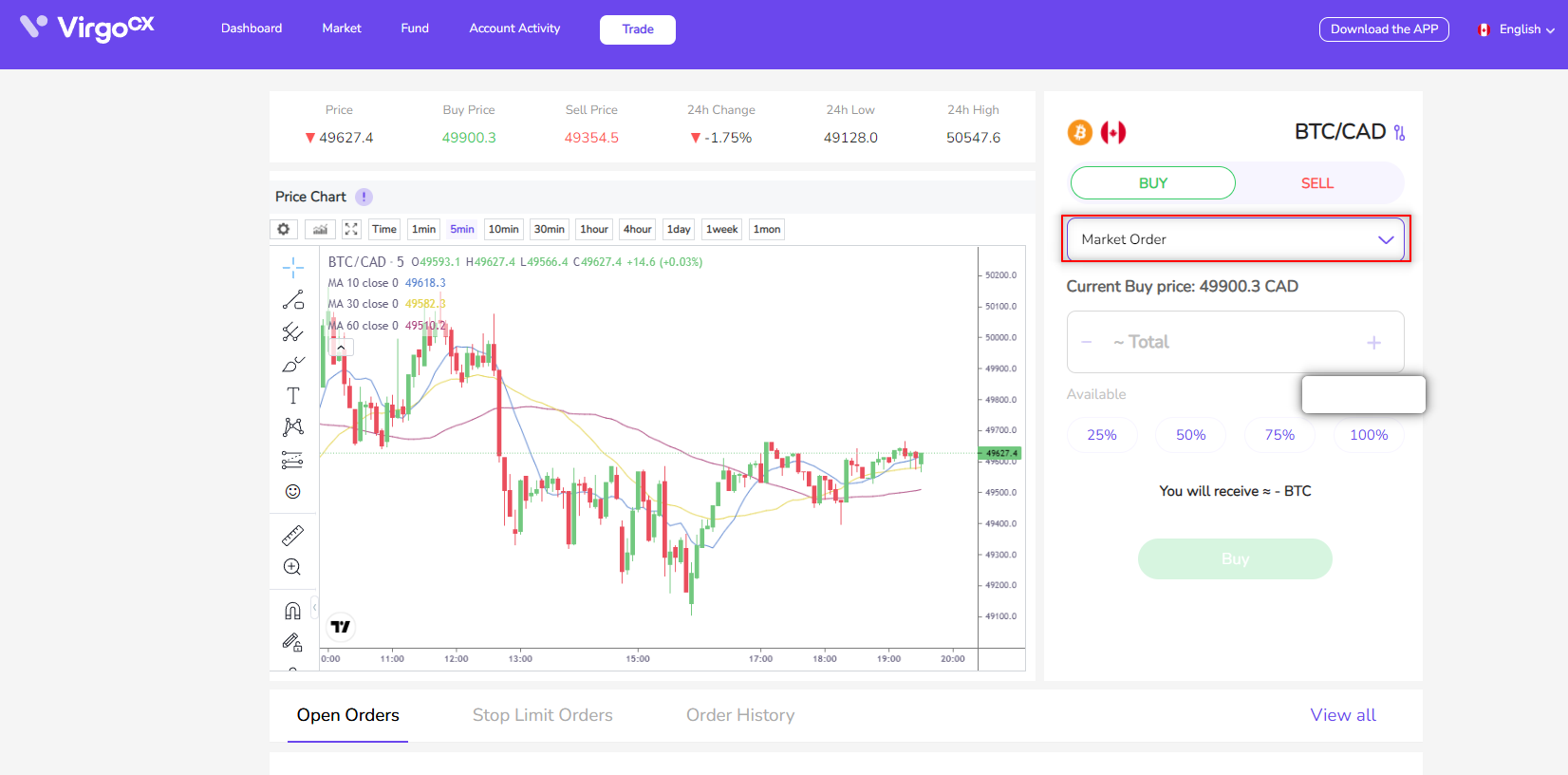
Buy Market Order: The Current Buy Price is the market price for buying the selected crypto, the percentage right below the price section would be what percentage you would like to spend based on your current balance.
- For example, the current BTC market price is CAD 46,808.4, and you have a total of CAD 70 in your account. By clicking the 100%, you are agreed to purchase at a rate of 1 BTC = $46,808. CAD and use all your fund ($70) to buy 0.00149545 BTC. Click “Buy BTC” to place your order.
Sell Market Order: The Current Sell Price is the market price for selling the selected crypto, the percentage right below the price section would be what percentage you would like to spend on your current crypto balance.
- For example, the current BTC market price is CAD 46,389.6 in this case, and you have a total of 0.0001232 BTC on hand. By clicking the 100%, you are agreed to purchase at a rate of 1 BTC = CAD 46,389.6 and sell all your BTC (0.0001232) to get 5.71 CAD. Click “Sell BTC” to place your order.
For App Version
- Log in to your VirgoCX account with the mobile app
- Go to the Trade section locates in the middle of the bottom
- Below the Advanced Trade section-Market order, select the cryptocurrency you would like to buy/sell, we choose BTC/CAD as our example
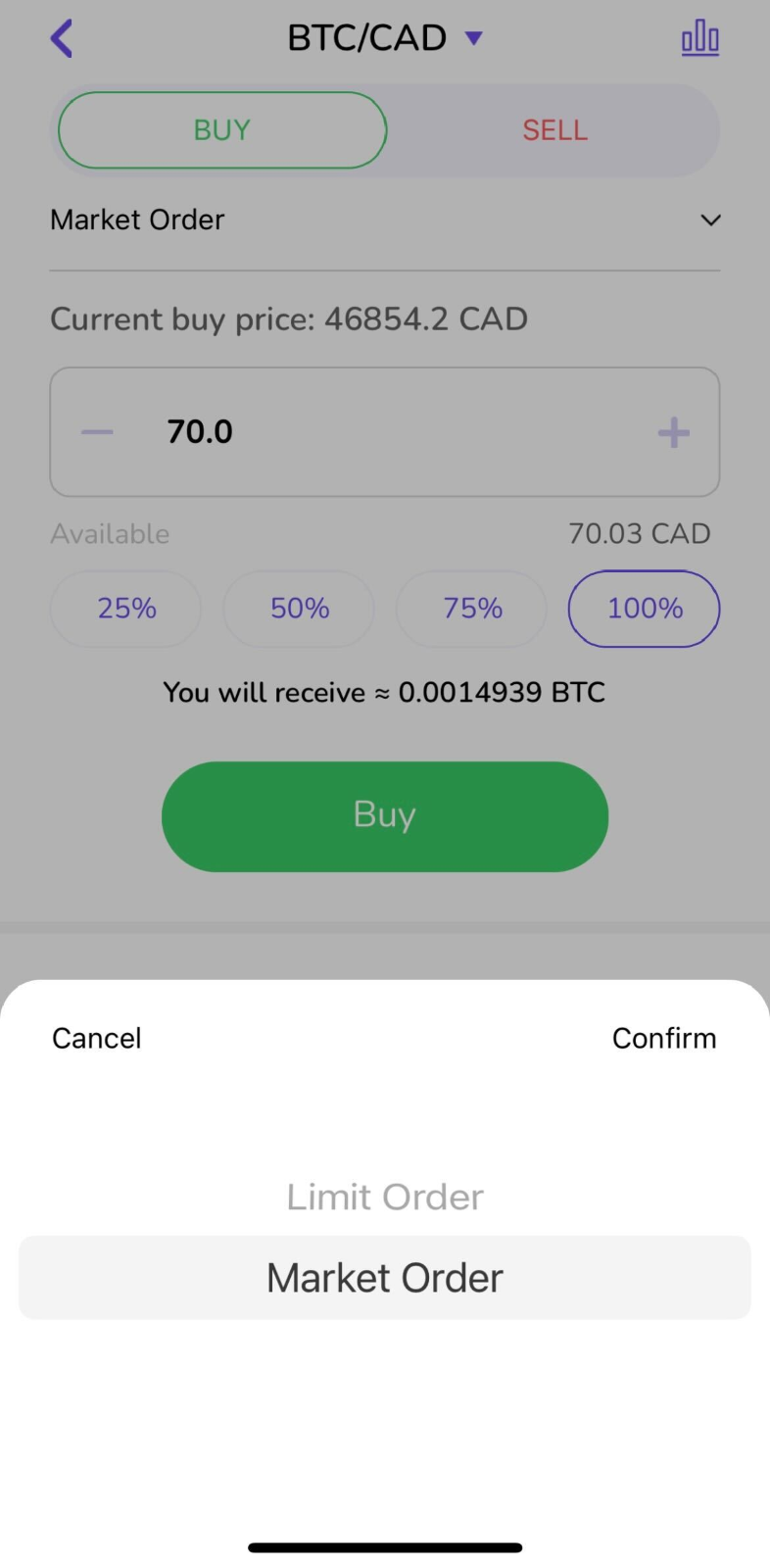
Buy Market Order: The Current Buy Price is the market price for buying the selected crypto, the percentage right below the price section would be what percentage you would like to spend based on your current balance.
- For example, the current BTC market price is CAD 46,854.2, and you have a total of CAD 70 in your account. By clicking the 100%, you are agreed to purchase at a rate of 1 BTC = CAD 46,854.2 and use all your fund ($70) to buy 0.0014939 BTC. Click “Buy BTC” to place your order.
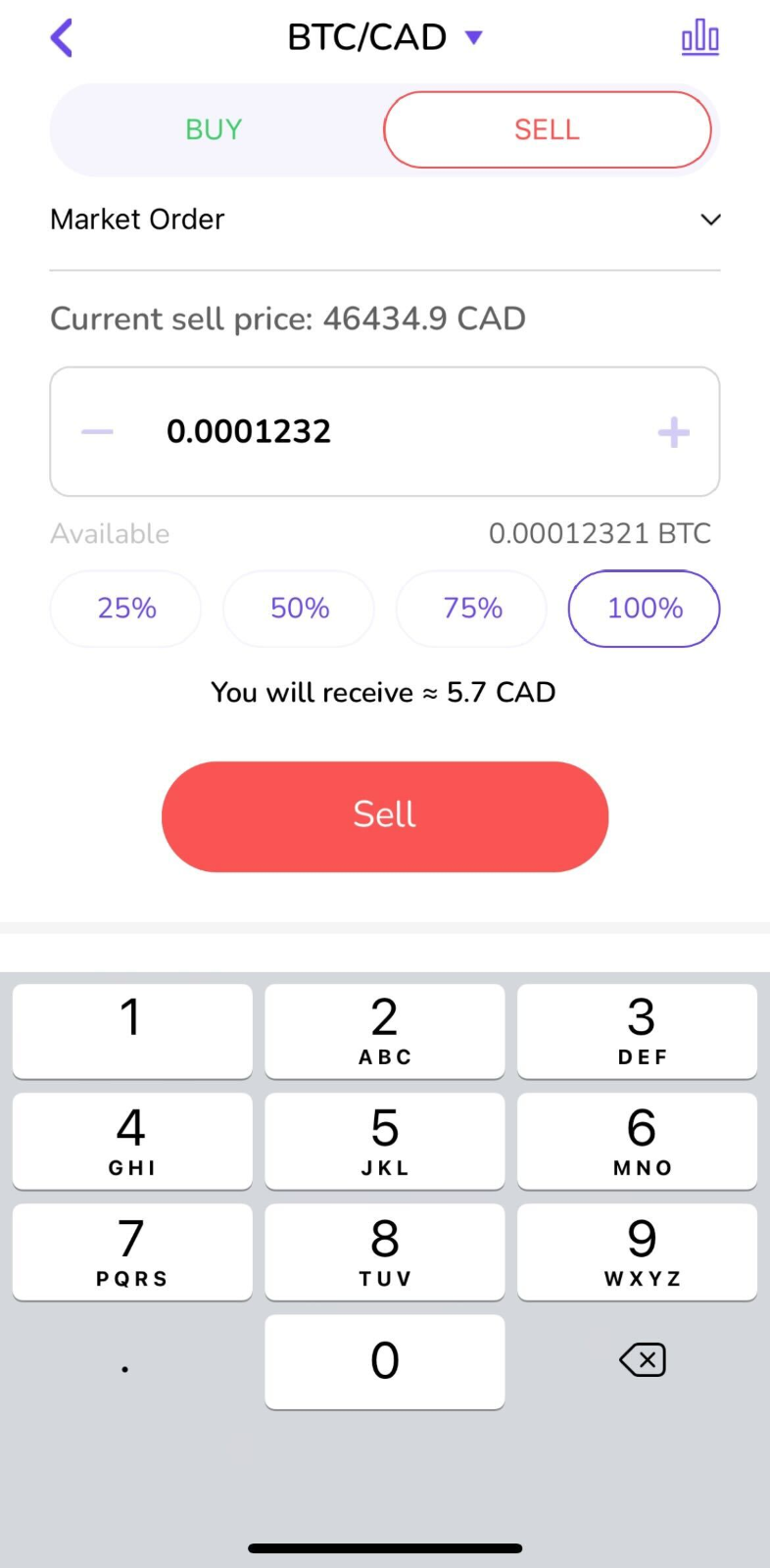
Sell Market Order: The Current Sell Price is the market price for selling the selected crypto, the percentage right below the price section would be what percentage you would like to spend on your current crypto balance.
- For example, the current BTC market price is CAD 46,434.9 in this case, and you have a total of 0.0001232 BTC on hand. By clicking the 100%, you are agreed to purchase at a rate of 1 BTC = CAD 46,434.9 and sell all your BTC (0.0001232) to get 5.71 CAD. Click “Sell BTC” to place your order.
Please be aware that market orders are subject to price and liquidity risks. Please also note that depending on the size of your order, market conditions and VirgoCX inventory, your market orders may be partially filled, and the unfilled portion cancelled. You should always check Order History for actual filled amount and order status. Please see our terms of service for more information on how VirgoCX processes your orders.
Comments
0 comments
Please sign in to leave a comment.